 BLP Workbench
Coming soon
Run your shop from one workbench.
Customers, deals and quotes, projects, inventory and purchasing in one app, made for laser, engraving and custom-craft shops. Run it on your own server or let us host it.
From the first call to the finished job
One record carries the job all the way, and every step gets a reference you can search or scan.
- InquiryA card on the deals board.
D20261009.0A7 - QuoteFrom your catalog, as a PDF with your logo.
Q20261009.0A8 - WonOne drag: the project is made and stock can come off the shelf.
- ProjectFiles, notes, time and a project sheet.
P20261009.0A9 - DoneCompleted, with its date and total hours.
Deal lifecycle
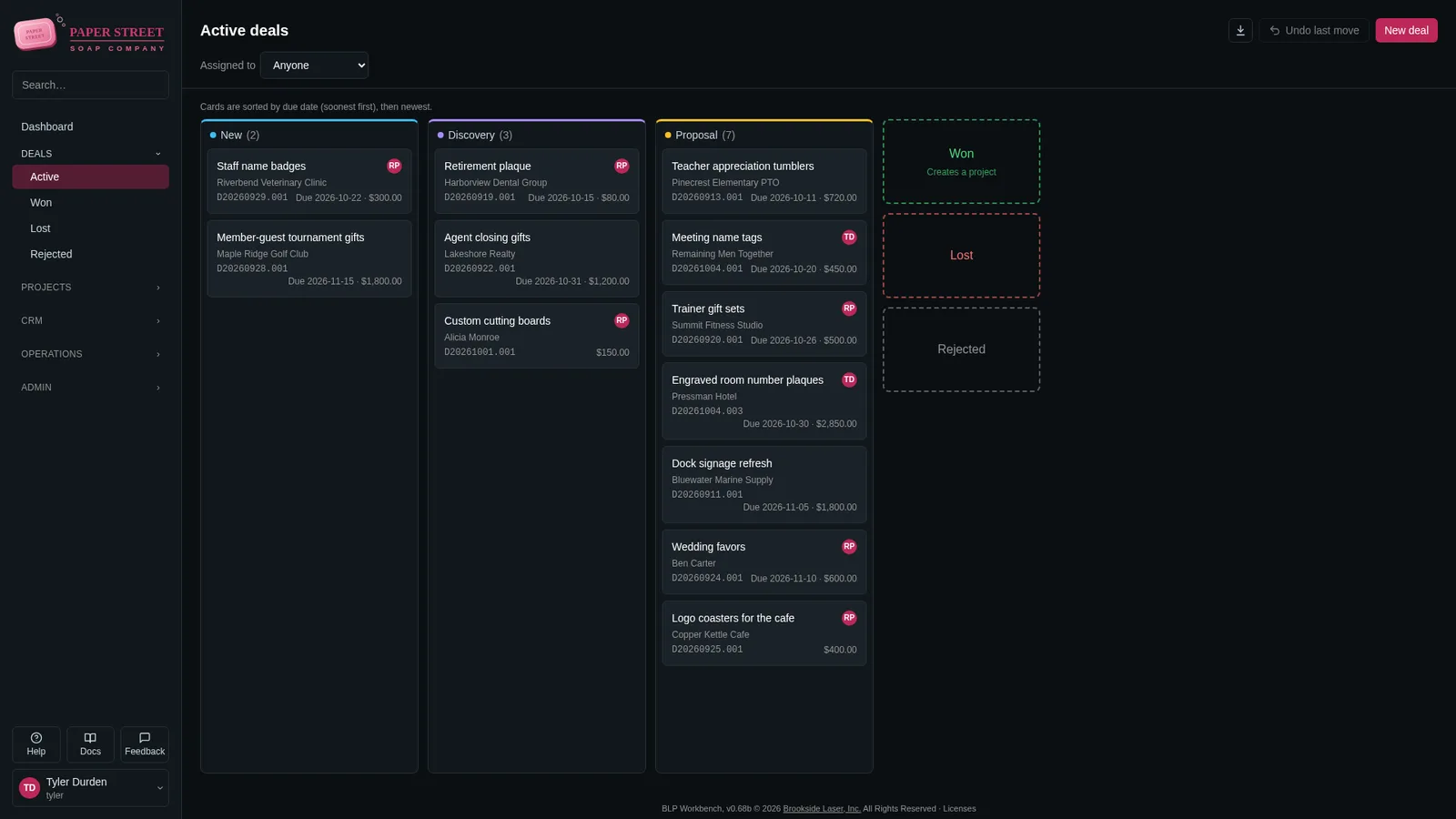
Every inquiry on one board, every quote from your own prices
A deal follows the job from the first call to won, lost or rejected. Name your own stages and colors, drag cards along, and see the pipeline on the dashboard.
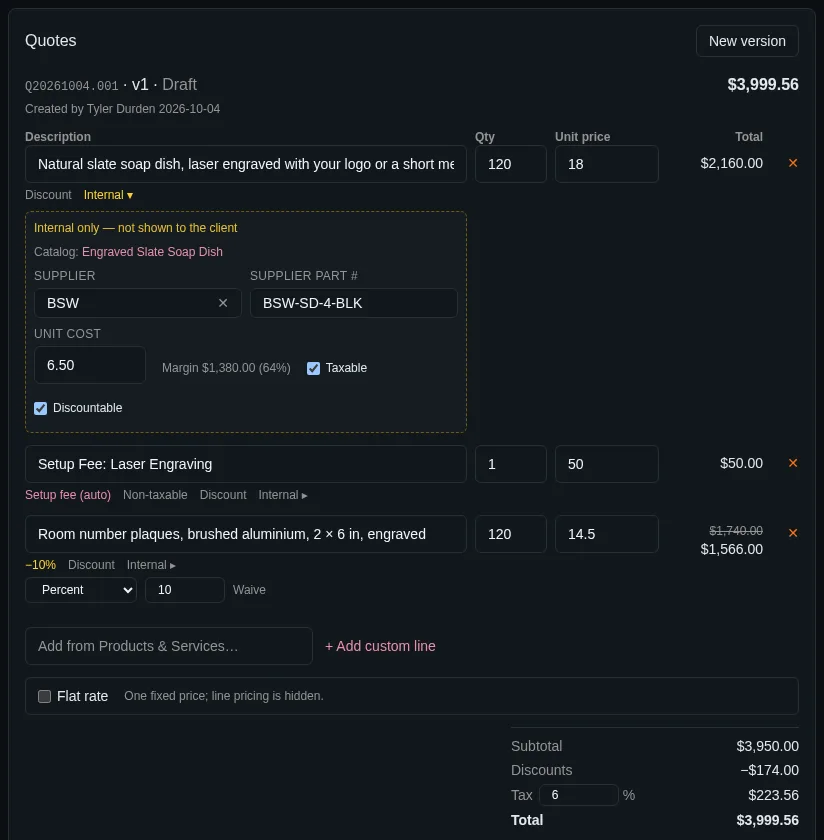
- Quotes built from your products and services, with variants, setup fees added once per quote, and discounts per line.
- Your cost, supplier and margin on every line, for your eyes only.
- A clean PDF with your logo, terms and valid-until date. A new version keeps the old ones.
- Tax per quote, with tax-exempt customers and their certificates tracked.
- A repeat order is one click: duplicate the deal with its quote.
Project lifecycle
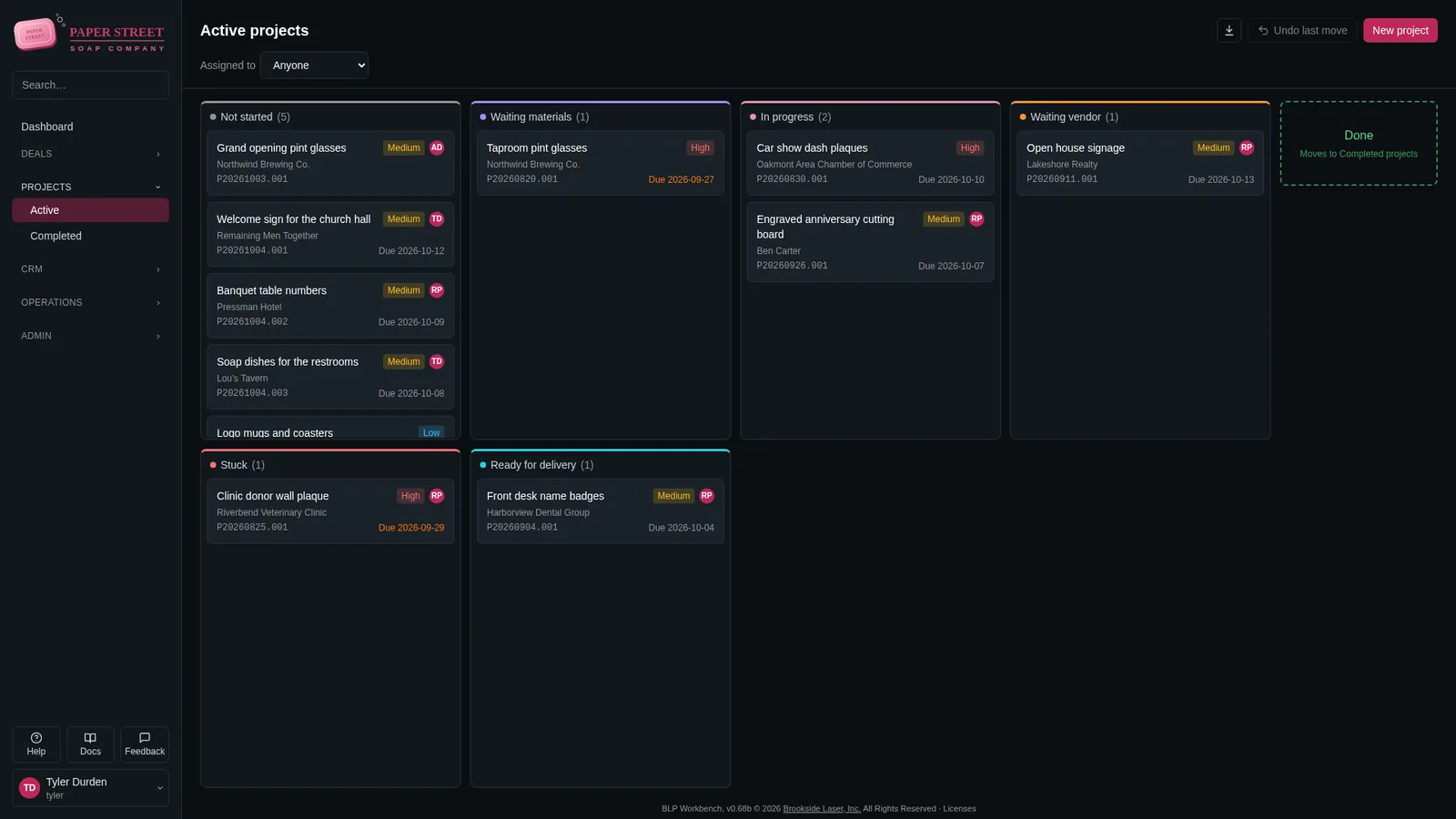
Won deals become projects, with everything the shop floor needs
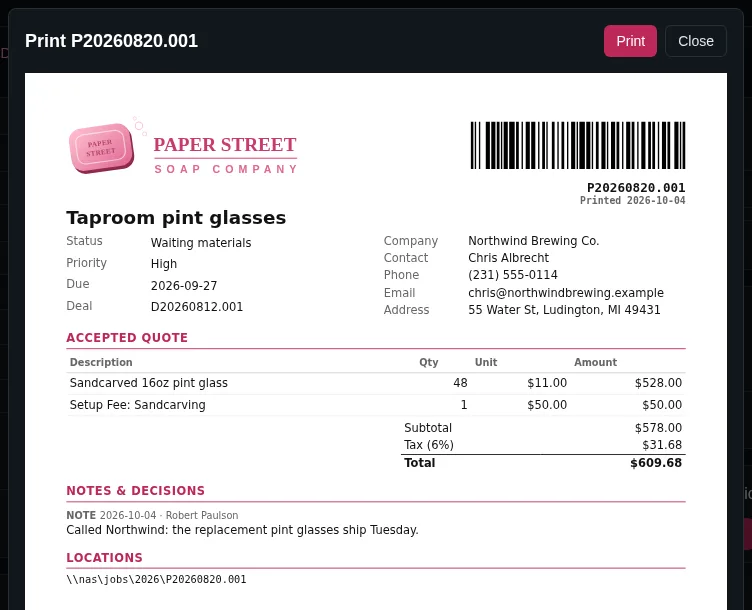
Drag a deal to Won and the project is there, with the accepted quote and its PDF already attached. Drag it to Done when the job is out the door.
- A board with your own statuses and priorities; overdue dates stand out.
- Design files (LightBurn, AI, CDR, SVG, DXF and more), notes and decisions in one place.
- Time tracked in quarter hours, billable or not.
- Where it all is: the network folder, the shelf, the bin.
- A printable project sheet with a QR code that opens the project.
Inventory management
Know what’s on the shelf, and what to order
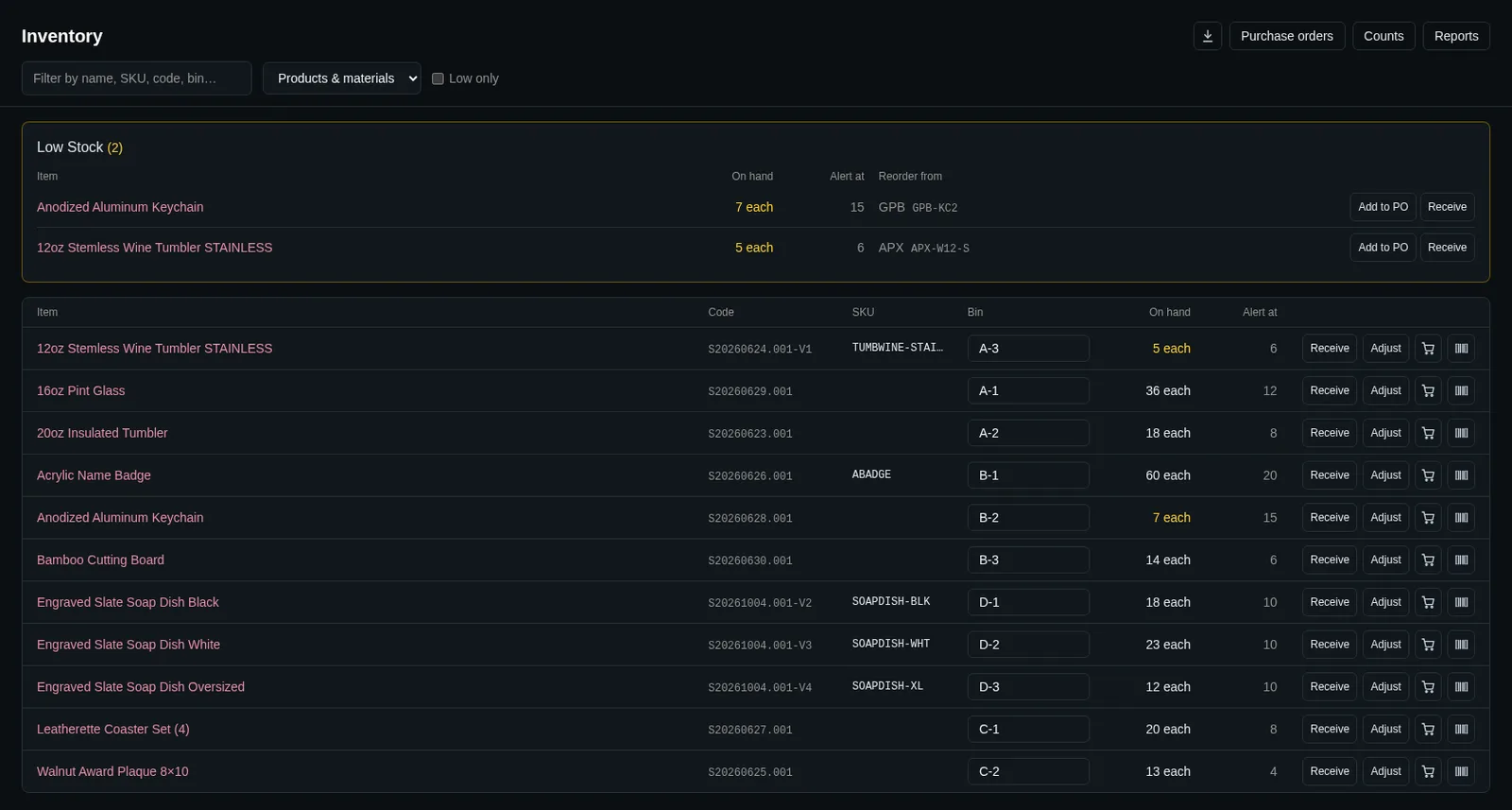
Stock for every item and variant, in one place or in several (the shop, the van, the back room), each with its own bin.
- Receive, adjust and move stock. Every change is kept in a history nobody can edit.
- Low-stock alerts on the dashboard, with the supplier and part number ready to reorder.
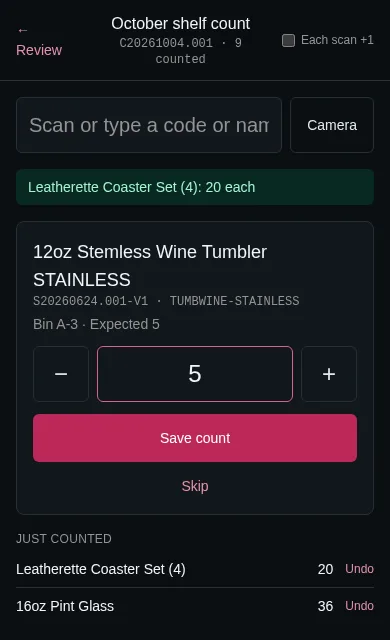
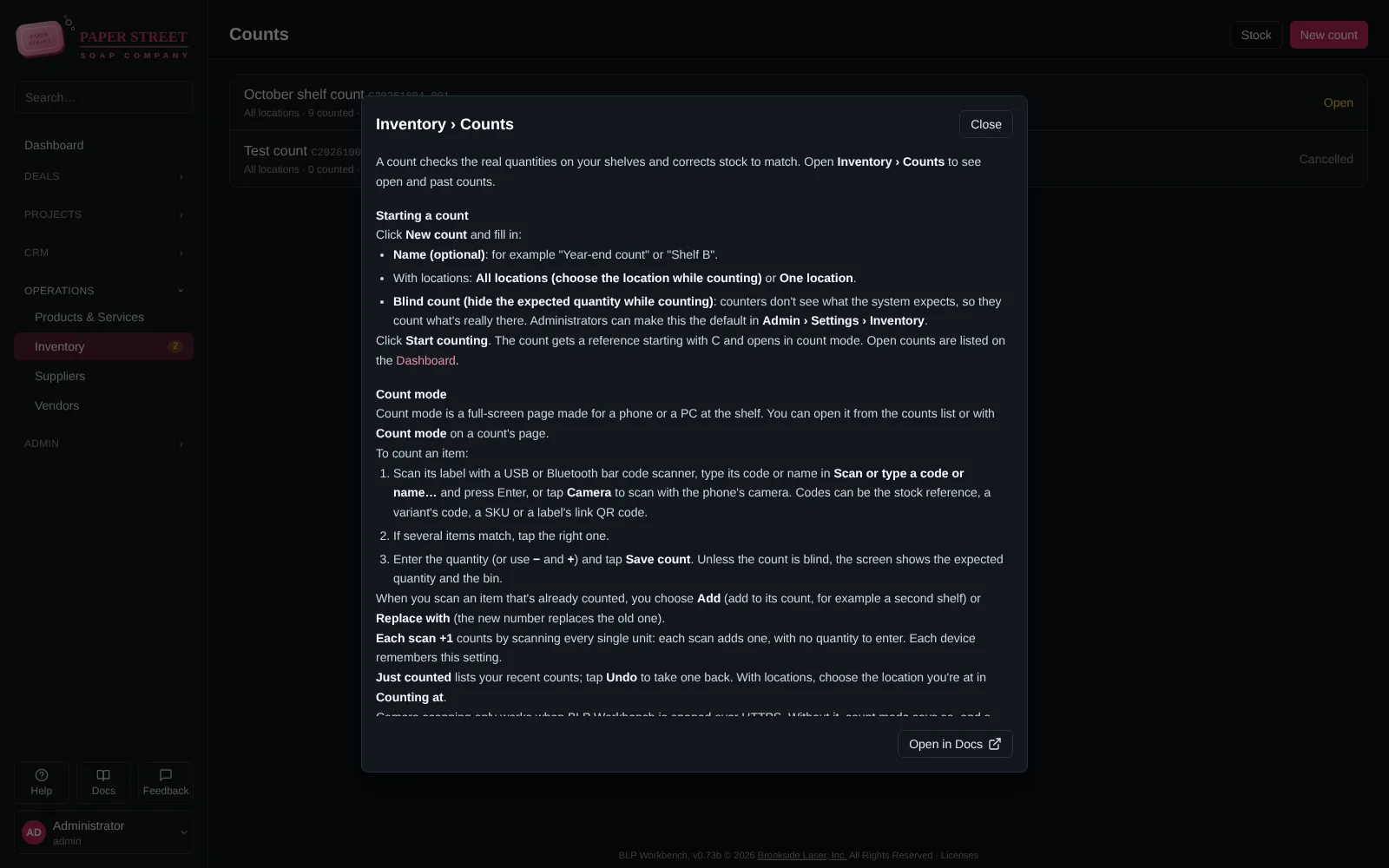
- Counts on a phone at the shelf: scan with its camera or a USB or Bluetooth scanner, count blind if you like, and review the differences before anything changes.
- Stock can come off the shelf by itself when a deal is won.
- Stock value and movement reports, with CSV export.
Suppliers and purchase orders
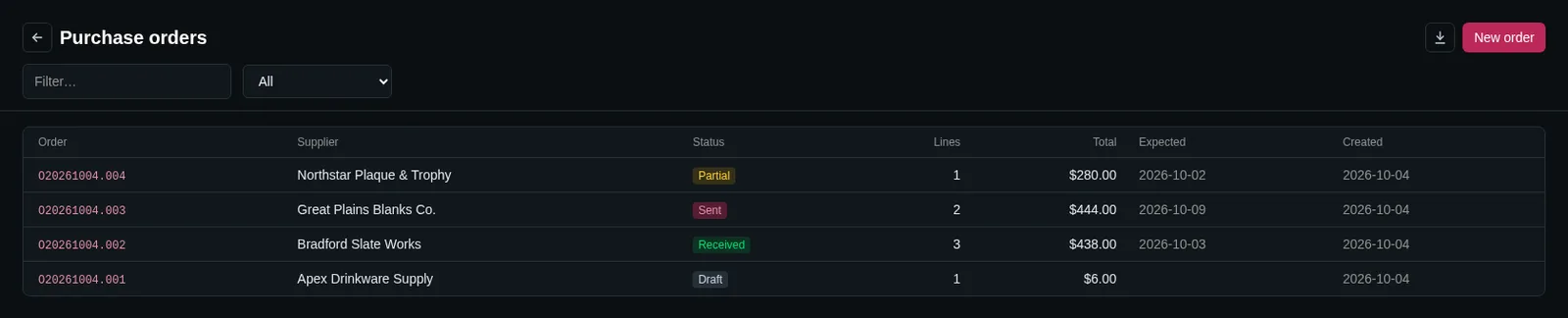
From low stock to a purchase order in two clicks
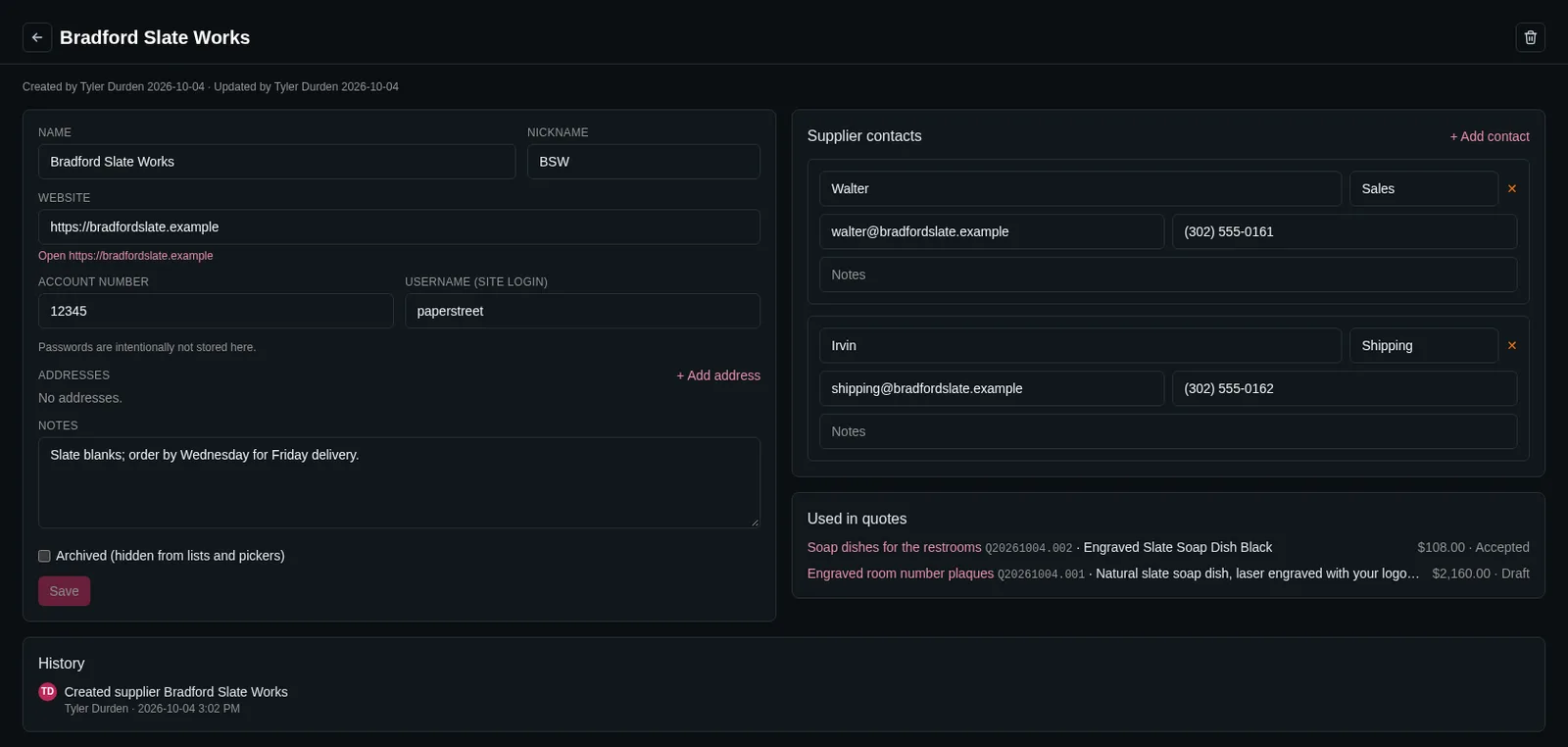
Suppliers live apart from your customers, with their contacts, your account number and the parts you buy from them.
- Supplier, part number and cost on each product and variant, and a link to the supplier’s page.
- “Add to PO” from low stock puts the item on that supplier’s draft order.
- Print the order with your logo, your account number and the ship-to address.
- Receive partial deliveries; stock comes in at the order’s cost.
- Late orders show up on the dashboard.
Bar codes, labels and printing
Labels on the sheets and printers you already have
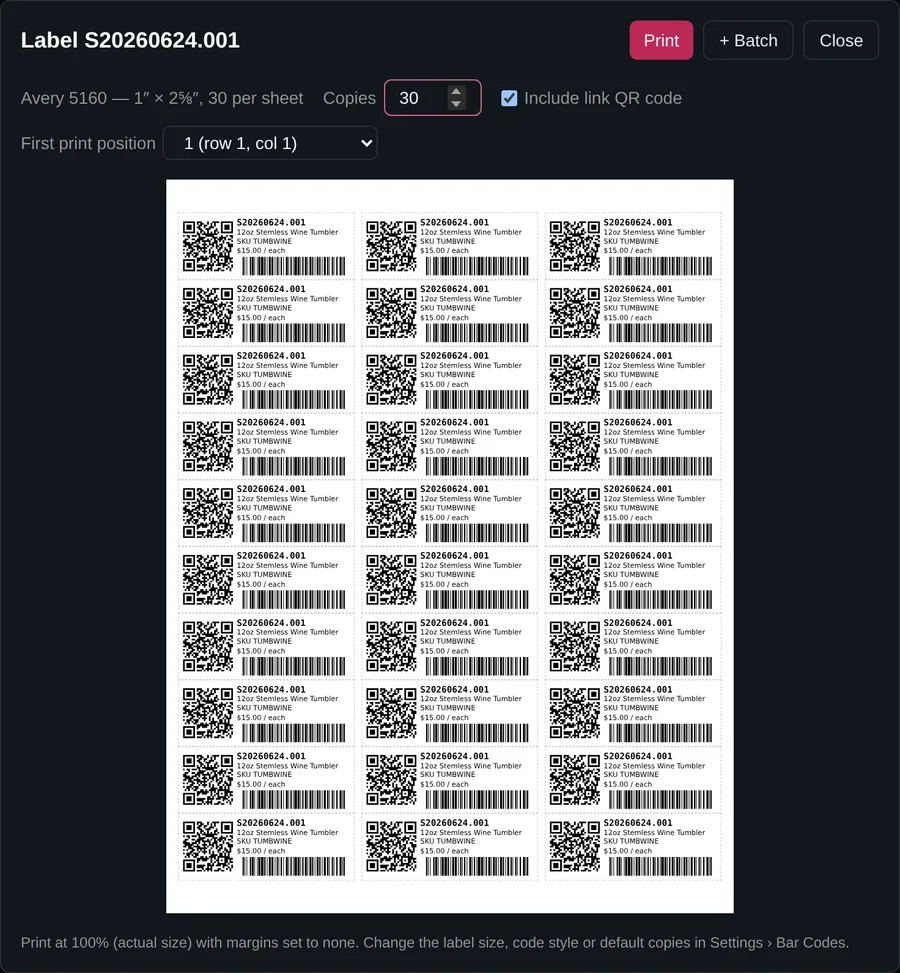
Print bar code labels for stock, products and projects, then scan them when you count. Quotes, project sheets and purchase orders print on Letter or A4.
- Code 128, QR or Data Matrix, with an optional QR code that opens the record in the app.
- Start at any position, so a half-used sheet isn’t wasted.
- Collect labels from many items in a batch and print them on full sheets.
- Labels when you receive stock, so it goes on the shelf already labelled.
- Avery 5160 · 5163 · 5167 · 5195
- Avery L7160 · L7163 · L7651 (A4)
- DYMO LabelWriter
- Thermal 2×1 · 3×2 · 4×6
Context help
Help for the page you’re on, one key away
Press F1 (or Help) anywhere and the help for that very page opens over it, so you never lose your place. Written for the people at the counter and in the shop, with screenshots.
- Every help page in Docs, with search.
- What changed in each version, one click from the footer.
- Feedback from inside the app, with the version and page filled in.
And the rest of the workbench
- Companies & contactsPeople and companies linked with their roles, addresses, files and phone numbers.
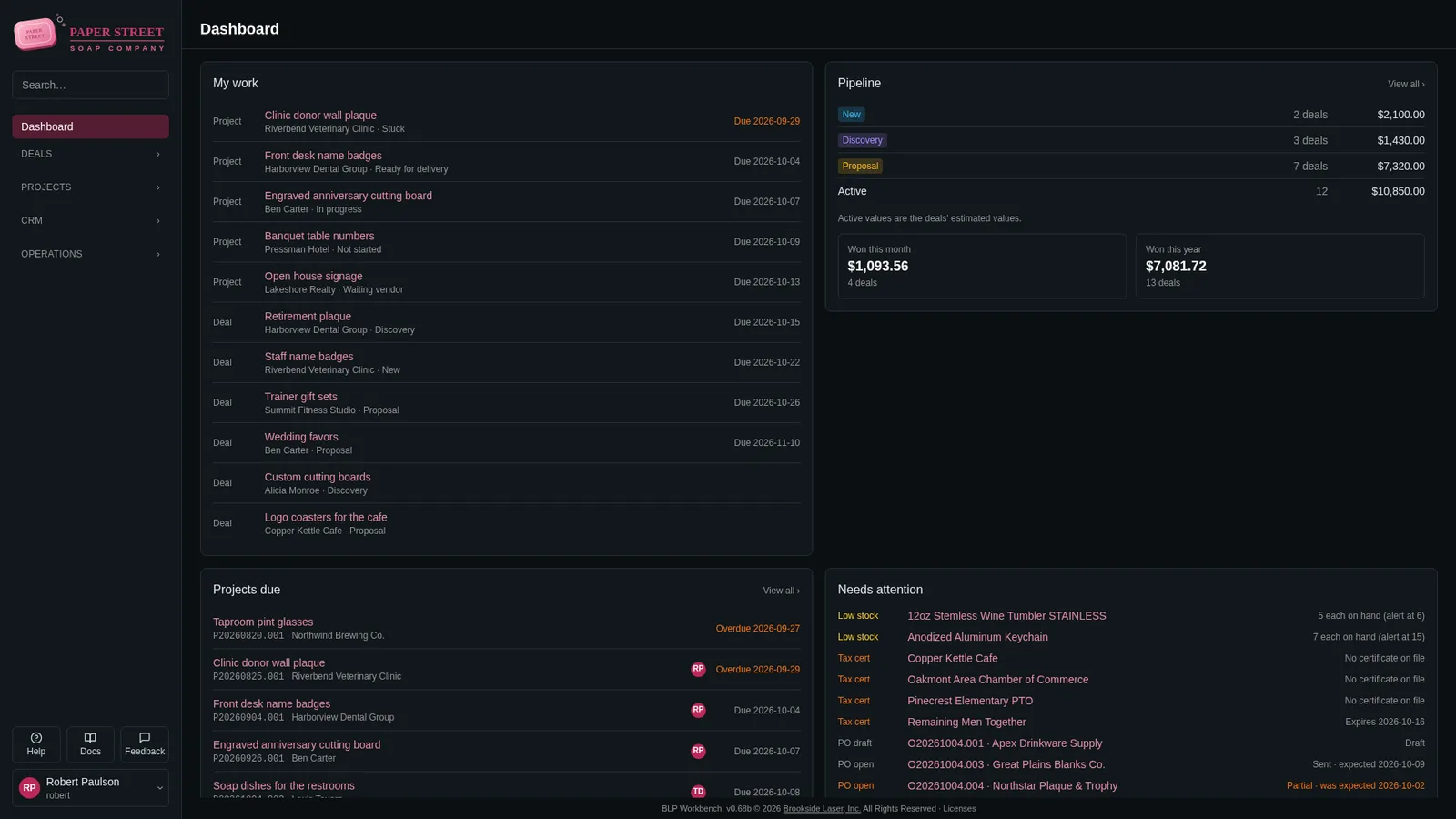
- DashboardYour work, the pipeline, projects due this week and what needs attention.
- Products & servicesVariants with their own SKU, price and cost, and materials you stock but never quote.
- Your brandYour logo and colors on screen, on quotes, sheets and labels.
- BackupsScheduled and on demand, with a safety copy before every update and restore.
- HTTPS built inLet’s Encrypt, your own certificate, or a self-signed one.
- Two-factor sign-inAuthenticator apps and recovery codes; require it for admins or everyone.
- Activity logEvery change and every sign-in: who, what and when.
- Your region19 countries: dates, currency, time zone, Letter or A4.
- Only what you useTurn quotes, inventory, bar codes, suppliers and vendors on or off.
Get early access
Early access starts with an account on My account. Create yours and confirm your email address, then choose Request early access on your account's page and tell us a little about your shop. We'll be in touch.
Early access is subject to capacity and availability.